How to Create a Knowledge Base in Notion That Actually Scales
Build a scalable Notion knowledge base using templates, databases, and workflows plus ideas to keep it alive and searchable with an AI layer like Toocan.
February 20, 2026 - Laurie Bach
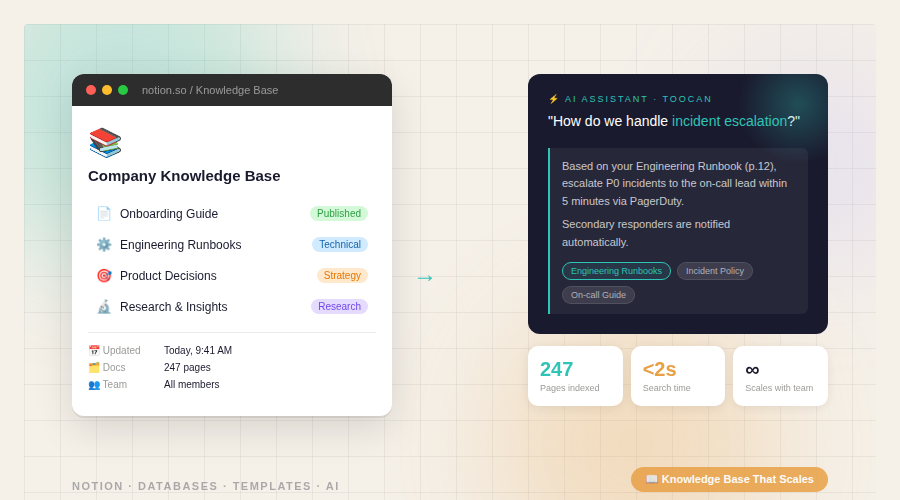
How to Create a Knowledge Base in Notion That Actually Scales
If you’re building a knowledge base in Notion, don’t start with a pile of nested pages. Start with a database + templates + a simple content workflow.
1) Start with a Notion Marketplace template (fastest path)
Pick a Knowledge Base template from the Notion Marketplace and duplicate it, then customize.
Why this matters:
- You get a clean structure instantly
- You avoid reinventing navigation + database setup
- You can focus on content, not layout
2) Use a database, not folders of pages
Create one database called:
Knowledge Base
Each row = one article.
Recommended database properties
Add these properties (they’ll make everything easier to find, filter, maintain):
Record Type (Select)
- FAQ
- Process
- SOP
- Battlecard
- Policy
- Playbook
- Reference
Theme (Multi-select)
- Sales
- Marketing
- Product
- Engineering
- Ops
- HR
- Customer Success
Status (Select)
- Draft
- In Review
- Published
- Archived
Owner (Person)
- One accountable person per article
Last Reviewed (Date)
- Helps you catch outdated docs
Optional (useful if you plan to publish externally): Audience (Select) → Internal / External
3) Build “views” for navigation (instead of nesting)
Create views inside the database (or create category pages with linked database views):
- Published
- Drafts
- By Theme (group or filter by Theme)
- Needs Review (Last Reviewed older than 90 days)
- Onboarding Essentials (filter by tag or Theme + Published)
This makes your knowledge base usable for real teams: people don’t browse folders, they use views.
4) Create a standard article template (consistency = scale)
In the database, create a template called KB Article.
Suggested structure:
- Summary (2–3 lines)
- When to use this (trigger/context)
- Step-by-step
- Examples / screenshots
- Related docs
- Owner + review cadence
Tip: Keep the “Step-by-step” section short and explicit. If a doc can’t be followed, it’s not a knowledge base article it’s a note.
5) Add a form so the whole team can suggest articles
Most knowledge bases die because only one person contributes.
Instead, create a simple form that creates new rows in your database as Draft.
Two common options:
- Notion Forms (if available in your plan/workspace)
- A form tool like Tally connected to Notion
Form fields to include:
- Suggested title
- What problem it solves
- Theme
- Record Type
- Priority (Low / Medium / High)
- Suggested owner (optional)
Result: ideas flow in continuously, without meetings.
6) Make the content “live” with a simple operating rhythm
A knowledge base is not a one-time project. It’s a weekly habit.
Use simple targets:
- Write 3 new articles per week
- Review 5 existing articles per week
- Monthly cleanup (archive outdated docs, merge duplicates)
Rules that keep quality high:
- Every Published article must have an Owner
- Every article must have a Status
- Archive instead of deleting (keeps links intact)
- If it’s critical, set a review cadence (monthly/quarterly)
7) Optional: add an AI knowledge assistant layer for faster answers
Even with a well-structured Notion knowledge base, people still ask:
- “Where is that doc?”
- “What’s the latest process?”
- “Which doc should I follow?”
A conversational AI layer (like Toocan) can help teams query the knowledge base in natural language and get direct answers, grounded in your Notion content.
This works best when your Notion is structured (Record Type, Theme, Status, Owner), because structured knowledge is easier to retrieve reliably.
Quick setup checklist
- Duplicated a Notion Marketplace Knowledge Base template
- Centralized articles into a single database
- Added properties: Record Type, Theme, Status, Owner, Last Reviewed
- Created key views: Published, Drafts, Needs Review, Onboarding Essentials
- Added a consistent article template
- Created a suggestion form feeding drafts into the database
- Set weekly goals: 3 new articles + 5 reviews
- Scheduled monthly cleanup + archiving rules